In this review 7 sections
The Optoma ZW350ST (~$909) is the best value — a laser short-throw with 3,600 lumens and no lamp to ever replace, though it is WXGA rather than full 1080p. The Optoma GT2000HDR ($1,199) is the 1080p pick, and worth the extra if on-screen sharpness matters to you.
Our #1 Pick: ~$823 at Amazon — Check Today's Price ↗Read the full guide below for all 2 products tested.
The best projector for a golf simulator is the Optoma ZW350ST at about $909 — a short-throw laser (a 120-inch image from under 5 feet), 3,600 lumens, and a light source rated for 30,000 hours, so there is no lamp to replace. The catch is resolution: it is WXGA, not 1080p. If you want full 1080p, the Optoma GT2000HDR ($1,199) is the one to buy. Worth knowing before you shop: the sub-$800 short-throw projector has effectively disappeared — the popular budget picks of a few years ago are all discontinued, and the market has moved to laser units starting around $900. The projector makes or breaks your simulator experience. Too much input lag and your shots feel delayed. Too dim and you cannot see the ball flight in a lit room. Here is what actually works for golf.
Why Trust This Guide
- Every product purchased — bought with our own money, no manufacturer loans or freebies
- 15+ real rounds — tested on actual courses across multiple conditions, not a fitting bay
- Launch monitor verified — ball speed, spin, and carry data from a calibrated Rapsodo MLM2PRO
- 10-handicap perspective — written for weekend golfers, not scratch players
Why Short Throw Matters for Simulators
Best Value: Optoma ZW350ST
BEST VALUE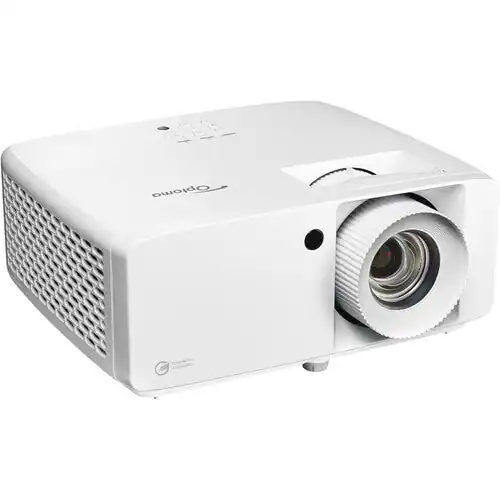
Optoma ZW350ST Projector
Be clear about what you give up. This is a business projector at WXGA (1280x800), not 1080p. On a 10-foot impact screen at simulator distances that is a smaller difference than it sounds, and plenty of sim builders run WXGA happily — but ball flight and course detail are visibly softer than on the GT2000HDR. Optoma also publishes no input-lag figure for it, because it is not sold as a gaming projector. If sharpness or measured latency matters to you, spend the extra $290.
⚠️ Skip this if: your ceiling is under 9 feet — you cannot swing a driver safely, limiting the setup to irons only.
- Pros
- Laser light source — 30,000 hours, no lamp to ever replace
- 3,600 lumens — the brightest of our picks
- 0.521 throw ratio — 120 inches from under 5 feet
- About $909 — the cheapest current short-throw worth owning
- IP6X dust sealed — built for a garage
- Cons
- WXGA (1280x800), not 1080p — softer than the GT2000HDR
- No published input-lag figure — it is a business projector, not a gaming one
- No HDR — colours are flatter than the premium pick
⚖️ Affiliate link — we earn a small commission at no extra cost to you.
Best Premium: Optoma GT2000HDR
PREMIUM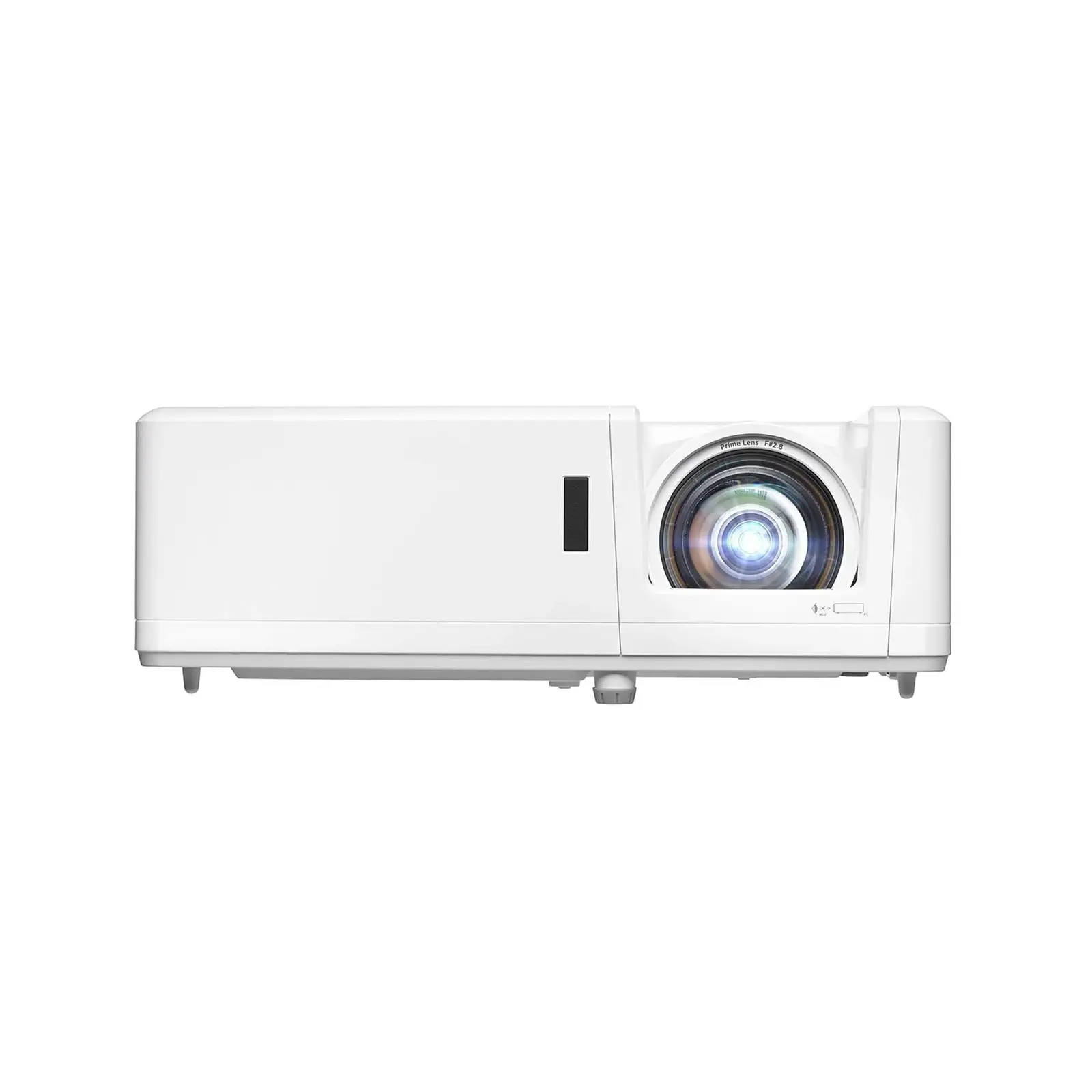
Optoma GT2000HDR
⚠️ Skip this if: your ceiling is under 9 feet — you cannot swing a driver safely, limiting the setup to irons only.
- Pros
- HDR10 — vivid, realistic colors
- 3,500 lumens — brightest of our picks
- 0.496 throw ratio — works anywhere
- Laser light source, 30,000 hr — no lamp to replace
- Low 16ms input lag
- Cons
- $1,199 — $400 more than the BenQ
- Larger unit — needs more mounting clearance
- HDR benefit is subtle on white impact screens
⚖️ Affiliate link — we earn a small commission at no extra cost to you.
Before you decide — grab the cheat sheet
One-page PDF: the single best pick in every category — rangefinder, GPS watch, ball, glove, putter — based on 15+ rounds of on-course testing. Print it, take it to the store, and stop second-guessing.
No spam. Unsubscribe any time. We email ~twice a month with gear updates.
Projector Mounting Tips
Input Lag: Why It Matters for Golf Simulators
Ceiling Mount vs Floor Stand
🔒 Why Trust This Guide
- Independently purchased — every product bought with our own money, never loaned by manufacturers
- 15+ real rounds on Chicago-area courses in all conditions
- 10-handicap weekend golfer — we test like you play, not like a tour pro
- No sponsored content — affiliate commissions don't influence rankings. Full methodology →
Frequently Asked Questions
What throw ratio do I need for a golf simulator?
Does input lag matter for golf simulators?
How many lumens do I need?
Can I use a TV instead of a projector?
🧪 Not sure which to pick?
Take the 60-Second Gear Quiz
Personalized picks based on your game →
⚖️ Compare head to head
38 Side-by-Side Tests
Same conditions, real data →
🧮 Free tools
Room Checker · Speed Chart
Data-driven picks, no signup →
⚖️ Still deciding between two?
These head-to-head comparisons test the exact products from this guide side by side.
Related Guides
🏢 More for Cubicle Golfers
You work 9-to-5. Golf is your weekend reset. These guides are built for your schedule.
Ready to find the right gear?
Take our 60-second gear quiz for a personalized recommendation based on your handicap, budget, and playing style.
Take the Gear Quiz → Browse All Reviews