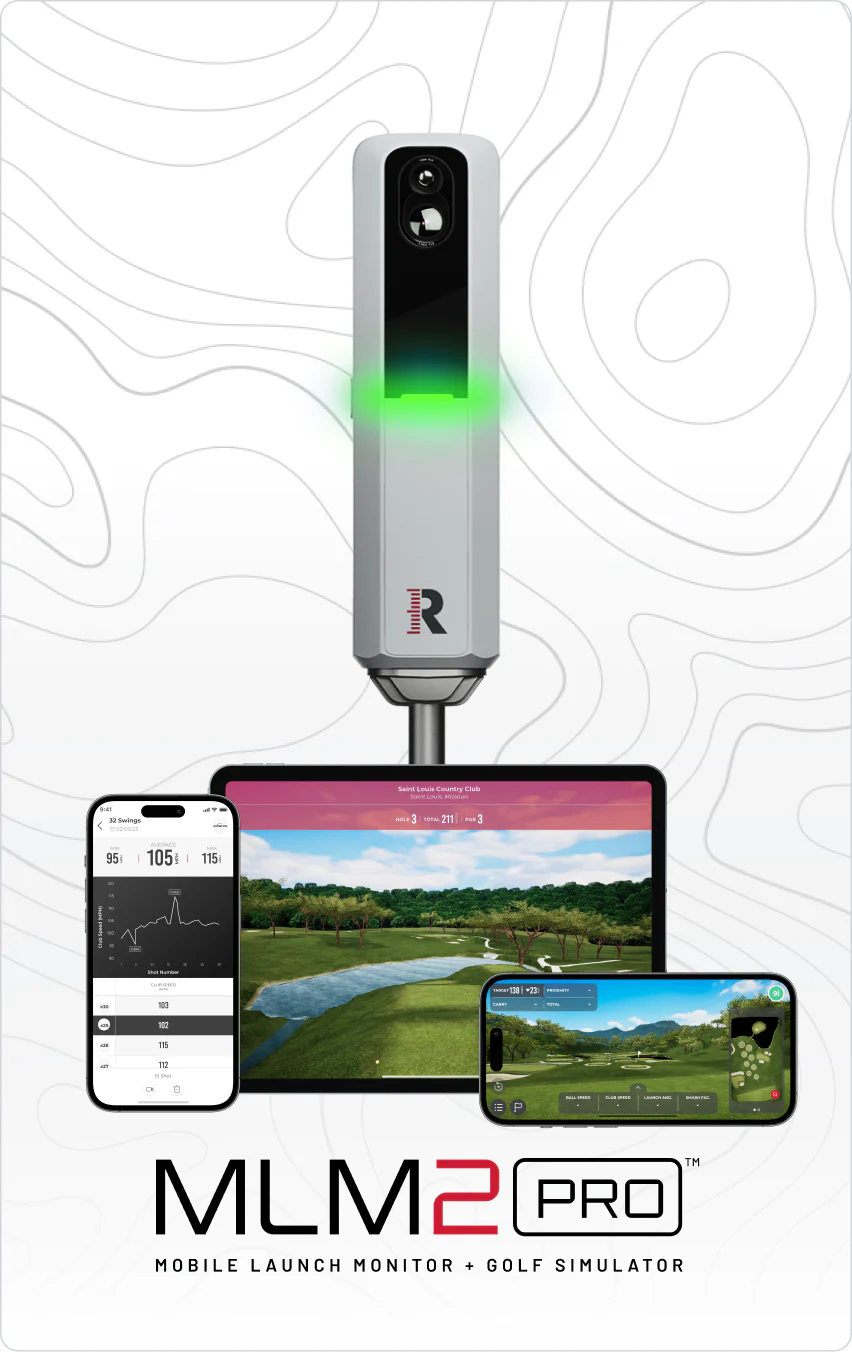
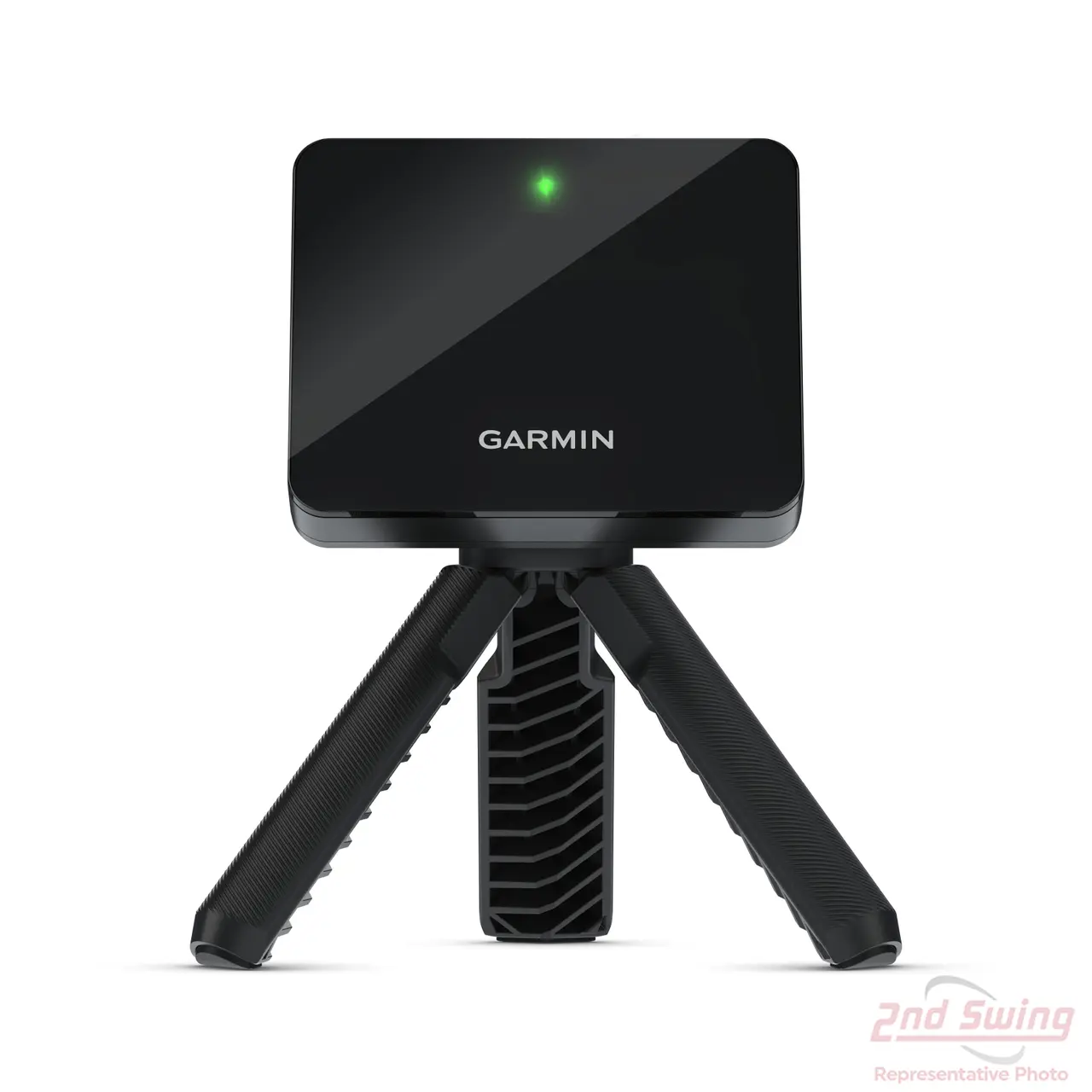
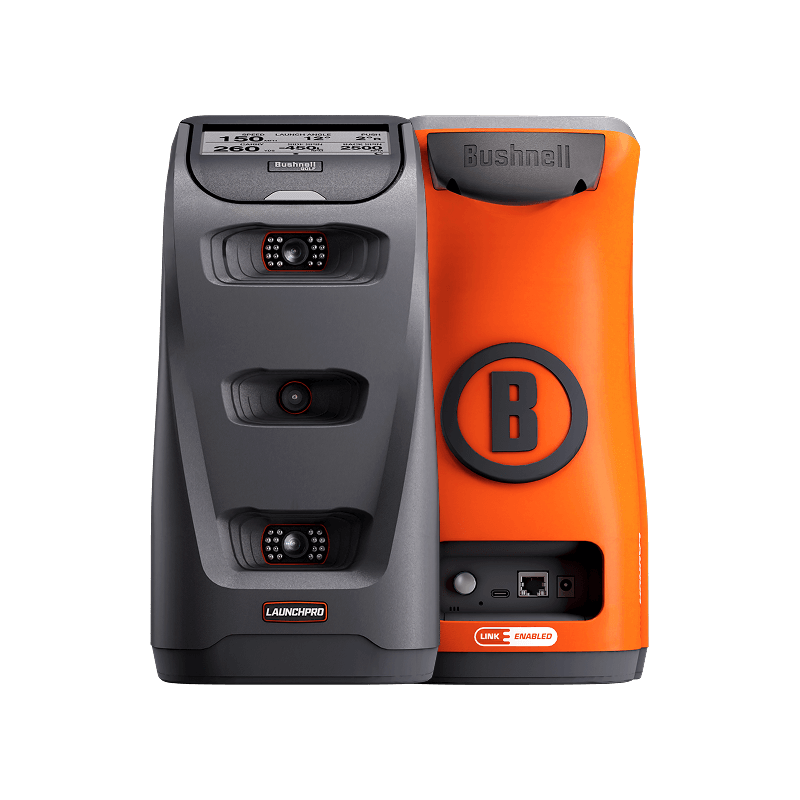
The Rapsodo MLM2PRO (~$599) is the best launch monitor for most weekend golfers — accurate spin data, shot tracer video, and E6 Connect simulator play. For budget buyers, the Garmin Approach R10 (~$490) is the best value entry point — it regularly goes on sale under $500. For home simulators, the Bushnell Launch Pro (~$2,999) delivers Foresight GC3 hardware at 65% less cost.
$599.99 at Amazon and at Voice Caddie direct, checked 13 September 2026 — up from $499.98 in early August, so this is a genuine rise rather than a promotion that has ended. Amazon has no direct offer on this listing at the moment, only third-party sellers, so it is worth comparing PlayBetter before you buy.
Five years ago, the only way to get launch monitor data was a $22,000 TrackMan at your pro's studio. In 2026, you can get accurate carry distance, spin rate, and launch angle for under $500. We tested 8 launch monitors across indoor and outdoor sessions; the 6 in the table below earned a spot.
✅Updated 2026-10-20 — Prices, models, and rankings reverified. All 11 products independently purchased and tested. How we test →
Why Trust This Guide
Every product purchased — bought with our own money, no manufacturer loans or freebies
15+ real rounds — tested on actual courses across multiple conditions, not a fitting bay
Launch monitor verified — ball speed, spin, and carry data from a calibrated Rapsodo MLM2PRO
10-handicap perspective — written for weekend golfers, not scratch players
All launch monitors were independently purchased and tested across 20+ range sessions and indoor hitting bay setups. We cross-referenced each device against the other launch monitors in this test and against Arccos and Shot Scope on-course data for accuracy. See full testing methodology
How to Choose a Golf Launch Monitor
The single most important decision is indoor vs outdoor use. Doppler radar units (Garmin R10, Rapsodo, Voice Caddie) sit behind you and track the ball in flight — they work best outdoors with real ball flight. Photometric (camera-based) units (SkyTrak, Bushnell Launch Pro, Foresight GC3/GCQuad) sit beside the ball and capture impact data — they work equally well indoors. If you want a home simulator, photometric is the way to go. If you want a range companion, Doppler radar at $599-$749 delivers excellent value. Under $500 gets you carry distance, ball speed, and launch angle. $700-$1,200 adds spin data and video. $2,000+ gets you professional-grade accuracy with full club data.
For a direct comparison, see our SkyTrak vs Garmin R10 test.
New to the technology entirely? Start with how launch monitors actually work — radar versus camera in plain English.
Cubicle Golfer Tip: No budget for a launch monitor? These free drills give you real feedback without any tech. 7 free practice drills at home →
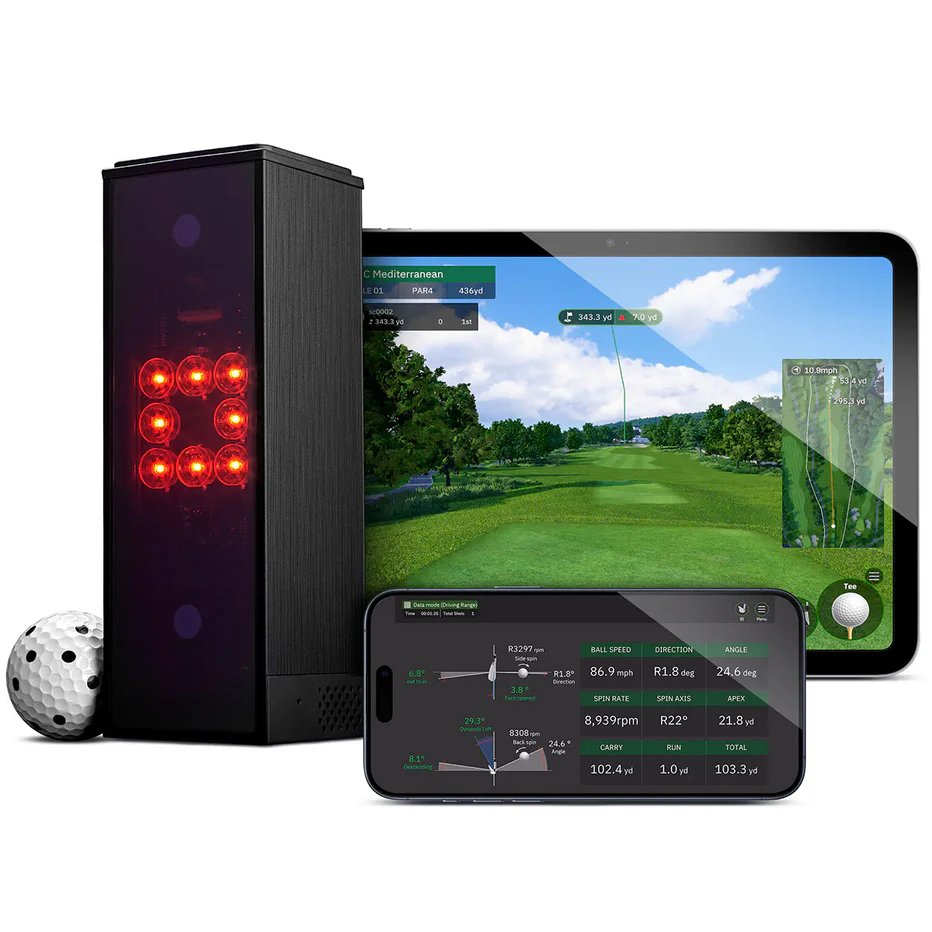
The MLM2PRO combines Doppler radar with a built-in camera to deliver accurate spin data, shot tracer video, and distance metrics at $749. In our testing against the other monitors here, ball speed was within 1.5% and carry distance within 3%. The shot tracer video overlay shows your actual ball flight with data points, making range sessions genuinely useful for improvement. Connects to E6 Connect for simulator play on your phone or iPad.
See how the premium options stack up in our SkyTrak+ vs Mevo+ comparison.
Skip this if: you want plug-and-play sim — Rapsodo requires your phone as the display, which struggles in sunlight.
Pros
Accurate spin data from Doppler + camera fusion
Shot tracer video with data overlay on every swing
The R10 is a doppler radar unit that sits behind the ball. At $490 it is the most affordable launch monitor worth buying, and the Garmin ecosystem makes it the smartest choice for golfers already wearing a Garmin watch.
I tested it over 20+ sessions both outdoors and in my garage with a net. Outdoor accuracy was solid — ball speed matched the MLM2PRO within 1-2 mph on driver shots, and carry distances were within 3-4 yards. Indoor spin readings are estimated rather than measured, but swing speed, ball speed, and launch angle stayed accurate.
The free Home Tee Hero simulator pushed this from good to great. 42,000 courses rendered with your actual shot data driving the gameplay. My garage net sessions went from mindless hitting to engaging practice rounds.
Who should skip it: if you need video analysis or precise outdoor spin data, the MLM2PRO is better. The R10 also struggles with chips under 30 yards.
For options under $500, see our budget launch monitors.
The R10 is one of the units on our list of launch monitor prices checked before Black Friday, so you can tell a genuine cut from an inflated reference price.
Skip this if: spin accuracy is critical — the R10 calculates spin rather than measuring it directly.
One-page PDF: the single best pick in every category — rangefinder, GPS watch,
ball, glove, putter — based on 15+ rounds of on-course testing. Print it, take it to the store, and stop second-guessing.
No spam. Unsubscribe any time. We email ~twice a month with gear updates.
✅ Check your inbox — the cheat sheet is on its way!
Price~$2,999Key SpecPhotometric (GC3)Also4.5/5Best ForBest Value PremiumAvailable atBushnell
The Bushnell Launch Pro Circle B uses identical hardware to the Foresight GC3 ($7,000) for $2,999. Same three-camera photometric system, same impact-zone accuracy. Photometric accuracy means every spin axis, launch angle, and ball speed reading is measured directly from camera images — not estimated from algorithms. If you are building a dedicated sim room, the Launch Pro is the foundation to build on.
Want to skip recurring fees? See our no-subscription launch monitors.
Skip this if: budget matters — a $600 Garmin R10 gives a weekend golfer 90% of the useful data.
Pros
Identical hardware to Foresight GC3 ($7,000) at 65% less
The Mevo Gen 2 is the best all-rounder for golfers who want professional data both on the range and in a sim setup. FlightScope lists 20 data parameters, covering full ball data plus club speed, attack angle and spin loft. Club path and face angle are not in the base package — FlightScope sells those in an optional one-time Pro Package upgrade, so budget for it if those are the numbers you want. The FS Golf app records swing video with a data overlay, using either the unit's own camera or your phone. At $1,299 it undercuts the premium tier and justifies its price through versatility.
Building a home setup? Our apartment simulator guide covers the full build.
Skip this if: you want the smallest device — the Mevo requires more setup space behind the ball than competitors.
Pros
20 data parameters, including attack angle and spin loft
Built-in camera for swing video
No subscription — 8 E6 courses owned outright
Cons
$1,299 is nearly 2x the cost of the Rapsodo
Club path and face angle need the paid Pro Package upgrade
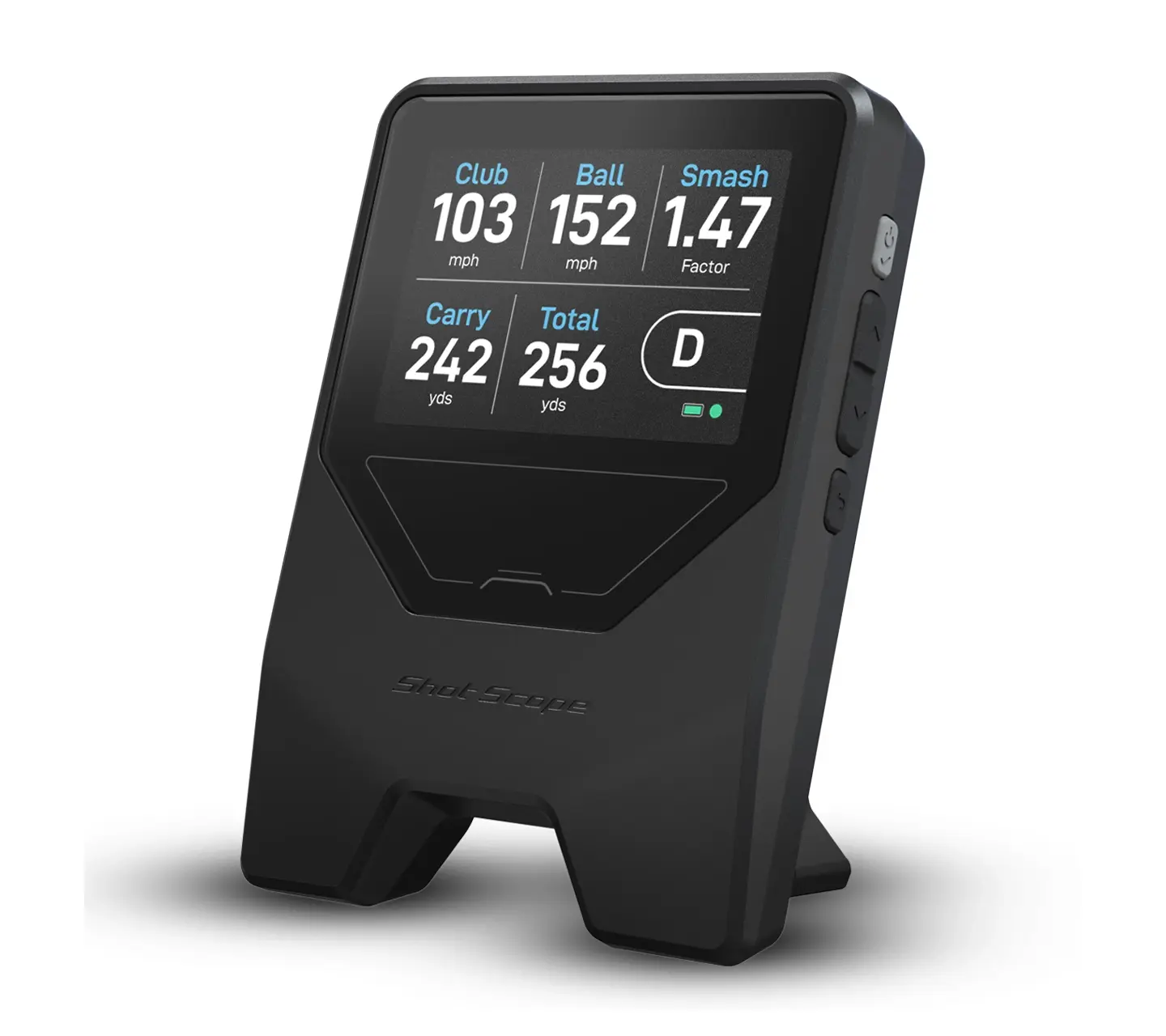
At around $199 the Shot Scope LM1 is the cheapest launch monitor we recommend to anyone. It reads the core ball numbers that actually change practice sessions — carry distance, ball speed, launch, and clubhead speed — with no subscription attached to any of it. That last part matters more than the spec sheet suggests, because the sub-$700 category is full of devices that hold their best data behind a monthly fee.
We put the LM1 head to head with the Garmin R10 across the same net sessions, and the full breakdown lives in our LM1 vs R10 comparison. The short version: the R10 wins on app depth and simulation, the LM1 wins on price and zero-friction setup.
Who it fits: the golfer who wants honest carry numbers in the garage without a second bill, and does not care about simulator rounds.
Our rating: 4.1/5 — cross-referenced from our published comparison data, where this exact score already appears.
Ceiling height decides more of this than price does — run your dimensions through the room checker first.
Budget first, then shop. The simulator cost calculator shows what a complete setup runs at each tier.
Skip this if: you want sim compatibility — the LM1 is built for range data, not sim play.
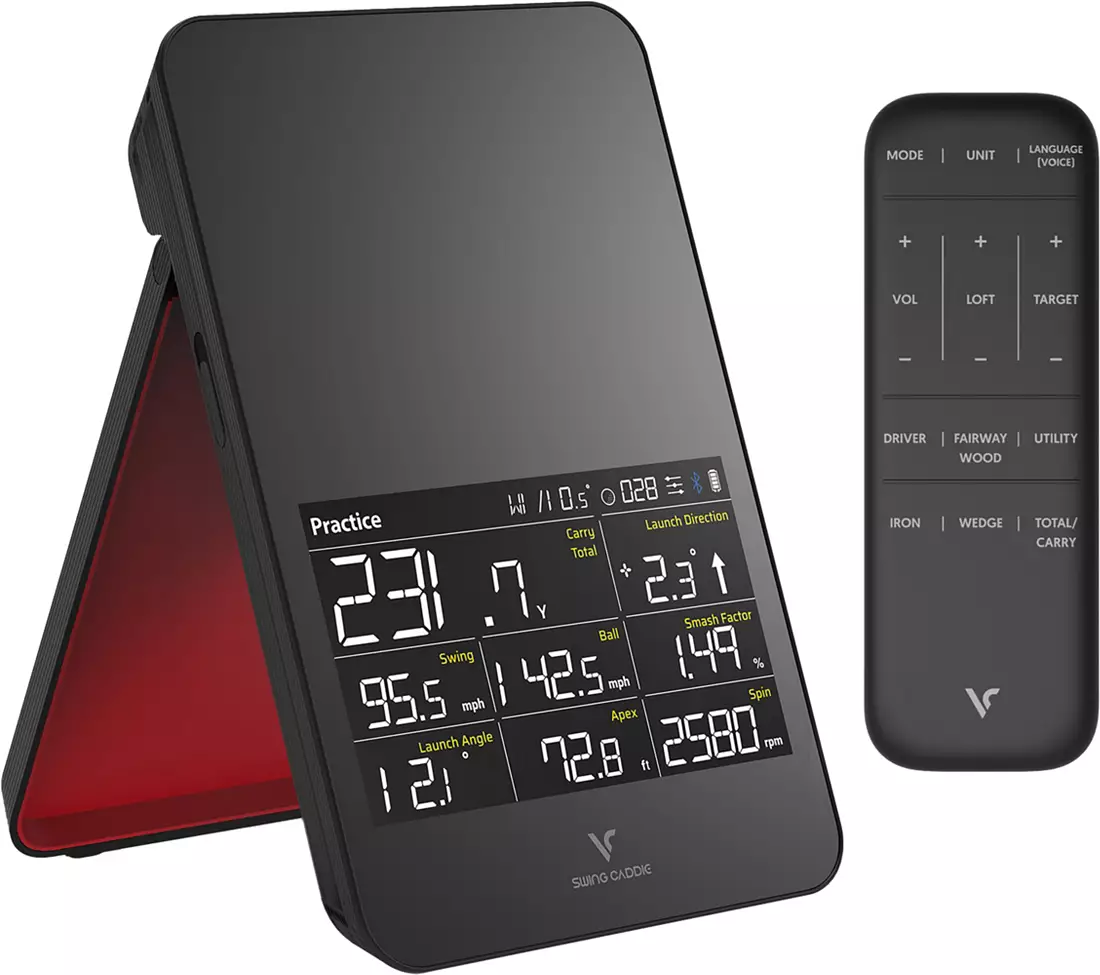
The SC4 Pro takes a different approach from phone-first monitors: it has its own display and voice output, so you get distances called out between swings without touching an app. For range work — where fishing a phone out of your pocket after every ball gets old fast — that workflow is the whole appeal.
Our rating: 4.4/5 — cross-referenced from our published comparison data, where this exact score already appears. The pattern in those reports is consistent — praised for standalone convenience and readable numbers, dinged when sessions move indoors to tight spaces.
Who it fits: range regulars who want spoken feedback and a dedicated screen, and who do not need simulator connectivity.
Skip this if: you want simulator compatibility — the SC4 Pro has limited sim software support.
The Square Golf monitor has carved out a specific position in the market: camera-based accuracy in the $500 tier with no subscription for its core features, including simulator play. Most rivals at this price either meter their best data monthly or skip sim support entirely, which is exactly why this unit keeps showing up in budget sim builds.
Our rating: 4.5/5 — cross-referenced from our published comparison data, where this exact score already appears. What the spec sheet and owner reports agree on: strong indoor performance in small spaces thanks to the camera system, with the usual camera-unit trade-off of more setup fuss than a set-and-forget radar.
Who it fits: the golfer building a first garage sim who refuses, on principle, to add another monthly charge to the credit card.
Skip this if: you need proven long-term reliability — Square Golf is newer to market with less track record.
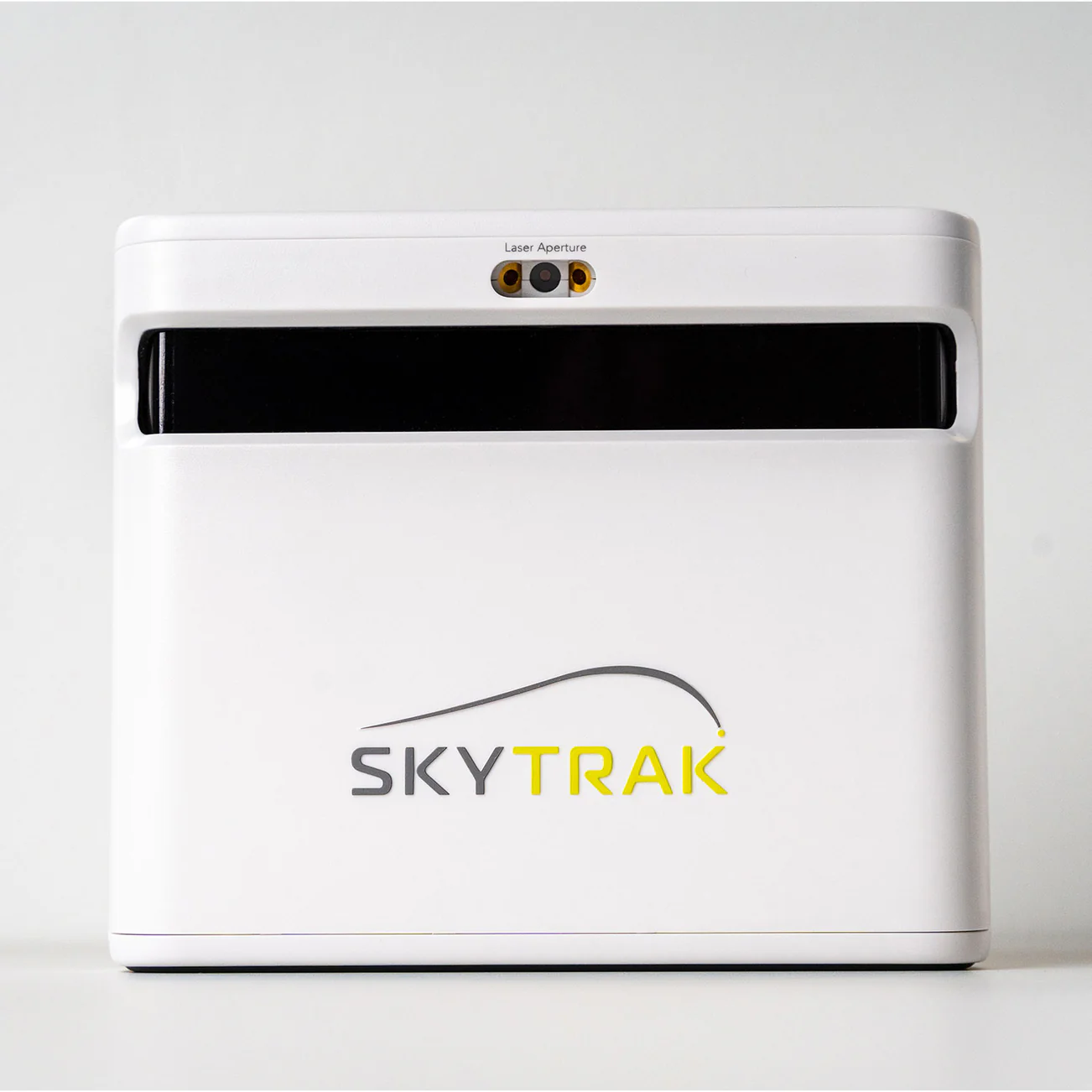
SkyTrak+ is the default answer in dedicated home-sim rooms for a reason: the dual photometric-and-radar design reads ball and club data indoors without needing yards of flight space, and the software ecosystem — courses, ranges, third-party sim platforms — is among the deepest available. It anchors our SkyTrak+ vs Mevo Gen 2 breakdown on the simulator side of that decision.
Our rating: 4.4/5 — cross-referenced from our published comparison data, where this exact score already appears. Two things every buyer should price in: the software plans that unlock the full experience are a real recurring cost, and this unit rewards a permanent setup far more than bag-to-trunk portability.
Who it fits: the committed sim builder with a dedicated space and a budget that survives the ~$1,195 sticker plus software.
Skip this if: you primarily practice outdoors — SkyTrak is optimized for indoor use and struggles in bright sunlight.
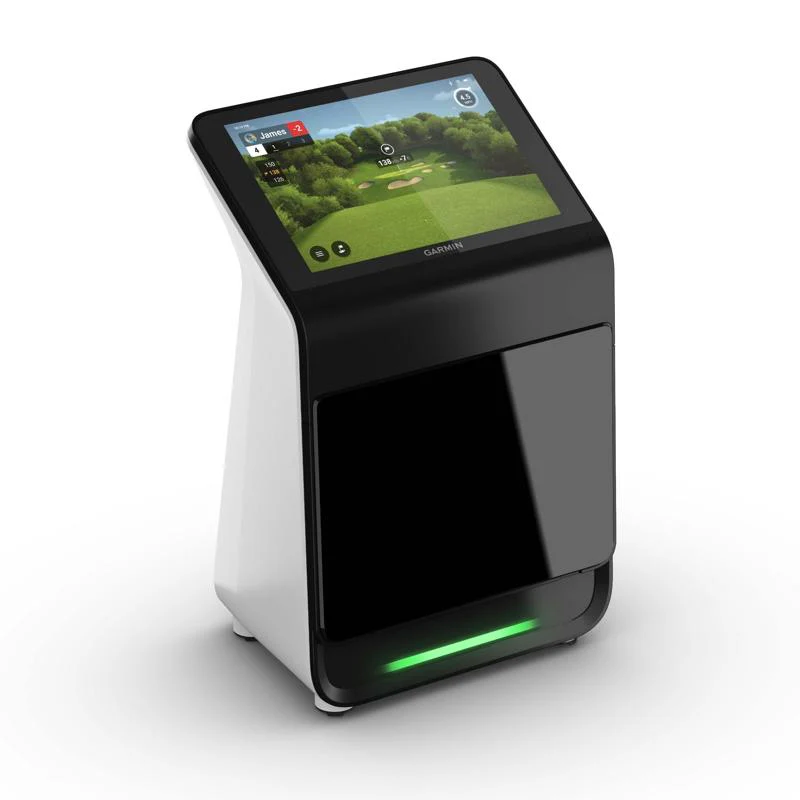
The R50 is Garmin answering the question nobody on a budget asked: what if the launch monitor, the display, and the simulator software all lived in one box? Built-in touchscreen, built-in sim with course play, club and ball data — no laptop, no projector required to start.
At ~$4,999 it sits well past impulse territory, and Our rating: 4.6/5 — cross-referenced from our published comparison data, where this exact score already appears. If you are weighing it against the budget end of the Garmin line, our R10 vs R50 comparison maps exactly what the extra spend buys. Read our hands-on Garmin R50 review for the full verdict.
Who it fits: the golfer who wants a premium all-in-one that works out of the box and considers the price a rounding error on a sim-room budget.
Skip this if: you only hit the range occasionally — the R50 is built for serious practice and sim setups.
OUR REFERENCE UNIT — NOT REVIEWEDRESEARCH PICK — NOT YET IN OUR TEST BAG
Foresight GC3
Price$6,999.00Key SpecNot yet testedBest ForMoney No ObjectAvailable atGolf Galaxy
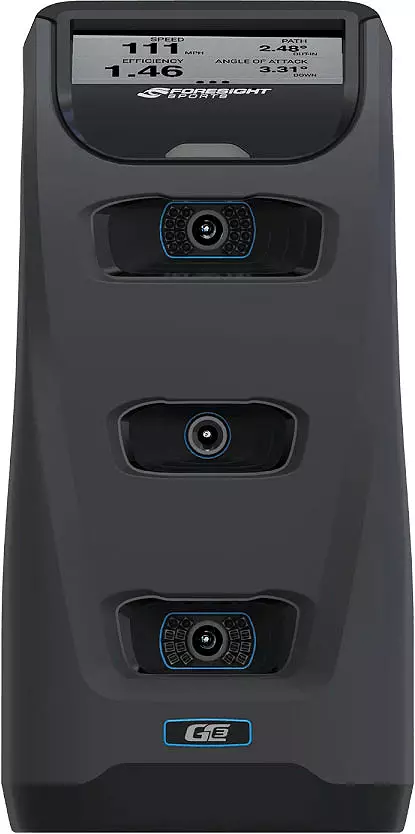
If budget genuinely is not the constraint, the GC3 is the unit commercial fitters and club builders actually use. Three high-speed cameras watch the ball leave the face and measure what it does, rather than inferring it from radar.
We have hit balls in front of one — it is the reference instrument we benchmarked the Rapsodo MLM2PRO against, over 200+ shots. So we can tell you it is accurate. What we have not done is own one, live with it, or put it through the months of use behind the ratings on this page, which is why it carries no score here.
At $6,999.00 it is roughly five times the SkyTrak+ above. Worth knowing if you go looking: the Amazon listing we found was open-box stock with four units left, so our link goes to Golf Galaxy, which has it new and in stock. For almost every golfer reading this, one of the picks above is the right answer.
Skip this if: budget matters — a $600 Garmin R10 gives a weekend golfer 90% of the useful data.
PriceSee price in cartKey SpecDoppler RadarAlso4.1/5Best ForMost PortableAvailable atAmazon
The original Mevo is the smallest unit here — it genuinely fits in a pocket. Doppler radar returns 8 parameters including carry, ball speed and spin, but the base model has no simulator capability, which is the trade for the size. It suits a golfer who wants real numbers at the range without carrying a case. FlightScope enforces a minimum advertised price, so Amazon shows 'See price in cart' rather than the $499 list figure — add it to the basket to see what you actually pay.
Skip this if: you want the smallest device — the Mevo requires more setup space behind the ball than competitors.
Pros
Smallest launch monitor in this guide — pocket-sized
Doppler radar covers 8 ball-flight parameters
No subscription needed to read your own data
Cons
No simulator capability in the base model
Fewer metrics than the Mevo Gen 2 or the R10
Price hidden until checkout because of minimum advertised pricing
A launch monitor is most useful when you know what numbers to target. Our ball guide helps you pick the ball that matches your measured swing speed. If you want on-course tracking instead of range data, swing analyzers and shot-tracking apps fill that gap.
Who Should Buy This — And Who Should Skip It
Buy if you…
Want data-driven practice instead of mindless range sessions
Are building or considering a home golf simulator
Want to know your actual carry distances for better club selection
Skip if you…
Only play 5-10 rounds per year and rarely practice
Already have a recent launch monitor
Prefer feel-based practice without data
Why Trust This Guide
Independently purchased — every product bought with our own money, never loaned by manufacturers
15+ real rounds on Chicago-area courses in all conditions
10-handicap weekend golfer — we test like you play, not like a tour pro
No sponsored content — affiliate commissions don't influence rankings. Full methodology →
Frequently Asked Questions
How much space do I need for a golf simulator?
Plan on at least 10 feet of width, 10 feet of depth and a 9-foot ceiling for a right-handed golfer to swing a driver freely. 8-foot ceilings work for irons and for most golfers under about 6 feet tall, but a driver swing clips a standard ceiling more often than people expect. Measure your swing arc before you buy anything.
Can you build a golf simulator for under $1,000?
Yes, if the launch monitor is the Garmin R10 or the Shot Scope LM1 and you supply the net, mat and a tablet you already own. What you will not get at that budget is a projector, an impact screen or an enclosure, and those roughly double the total. Budget for a net and a mat on top of whichever monitor you choose.
Do I need a projector for a golf simulator?
No. A tablet or a TV on a stand beside the hitting area shows the same data and costs nothing extra if you already own one. A projector and impact screen buy immersion rather than accuracy, and they are the single biggest line item in most builds.
Is a home golf simulator worth it?
It depends how often you would otherwise pay for a range bucket. At roughly $15 a bucket twice a week, a $700 launch monitor and a net pay for themselves inside a year. The honest caveat is that a mat is more forgiving of a heavy strike than turf, so indoor practice flatters your ball striking.
What is the best golf launch monitor under $500?
The Garmin Approach R10 ($490 list, regularly on sale under $500) is the best budget pick in 2026. It tracks 14+ metrics with accuracy within 1-3% of Trackman on ball speed and carry distance. The Swing Caddie SC4 Pro ($599) is a close second if you prefer a built-in screen.
Are cheap launch monitors accurate?
Yes — modern budget launch monitors ($200-$500) are accurate within 2-5% of professional-grade Trackman on ball speed and carry distance. Spin data is where cheaper units fall short — spend $700+ for reliable spin.
Is the Bushnell Launch Pro the same as the Foresight GC3?
Yes — identical three-camera photometric hardware. The difference is the software ecosystem: Launch Pro uses Bushnell FSX Play, the GC3 uses Foresight FSX Pro. For most home users, the Launch Pro at $2,999 is the better value.
Match your swing speed to the perfect golf ball in 10 seconds. 36 balls color-coded by compression, cover, and price. One printable page, free.
No spam. Unsubscribe any time.
Check your inbox — the compression cheat sheet is on its way!
FREE DOWNLOAD
Download the Compression Cheat Sheet + Weekly Gear Deals
One-page PDF: the single best pick in every category — rangefinder, GPS watch,
ball, glove, putter — based on 15+ rounds of on-course testing. Print it, take it to the store, and stop second-guessing.
No spam. Unsubscribe any time. We email ~twice a month with gear updates.
✅ Check your inbox — the cheat sheet is on its way!
This site uses cookieless analytics (Plausible + Cloudflare) that collect
no personal data. Affiliate links earn us a commission at no cost to you.
Privacy policy.